Required Project Updates
Image Targets
If your project utilizes image targets, you need to configure them at the start of your experience.
To enable image targets, call XR8.XrController.configure before any other code:
const onxrloaded = () => {
  XR8.XrController.configure({
    imageTargetData: [
      require('../image-targets/target1.json'),
      require('../image-targets/target2.json'),
    ],
  })
}
window.XR8 ? onxrloaded() : window.addEventListener('xrloaded', onxrloaded)
Autoloaded targets will have a "loadAutomatically": true property in the json file.
Asset Bundles
References to asset bundles may need to be updated. Asset bundles are now plain folders.
For example, the physics playground sample project uses a gLTF asset bundle. When running the project for the first time, we encounter a compiler error:
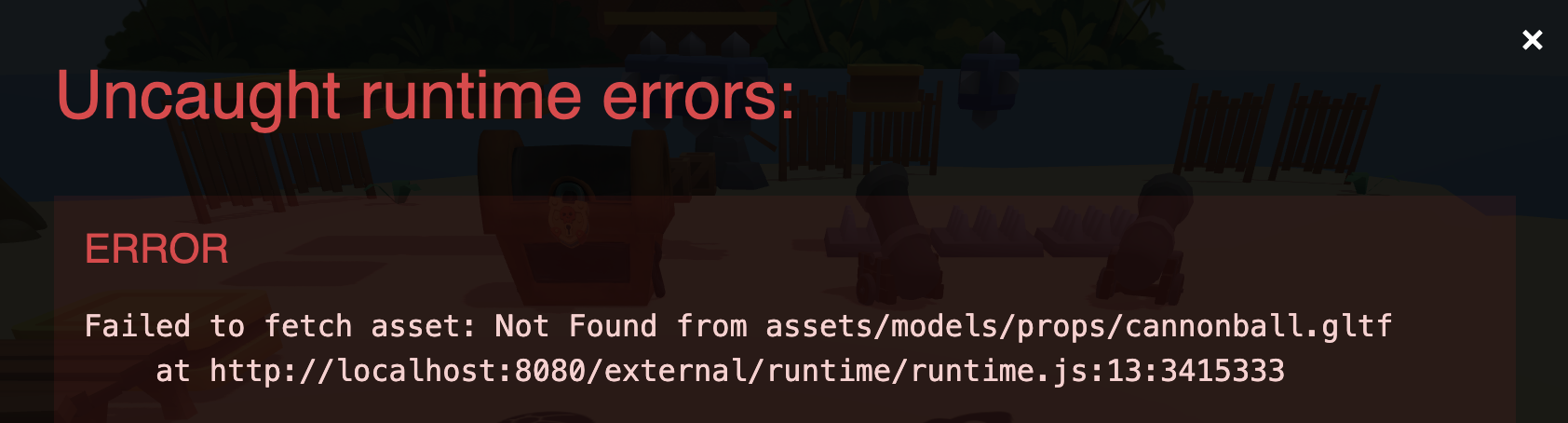
To fix the issue, we need to update all references to reflect the correct location and name of the asset.
In this case, we need to update the gLTF path from:
/assets/models/props/cannonball.gltf
to:
/assets/models/props/cannonball.gltf/Prop_CannonBall.gltf
Optimization
If you are not using the XR Engine, you can remove the xr.js script tag from index.html and delete the external/xr/ folder to save bandwidth.
If you are using the XR Engine, you can also customize whether face, slam, or both, are loaded on the data-preload-chunks attribute.