Testing
Test on Desktop
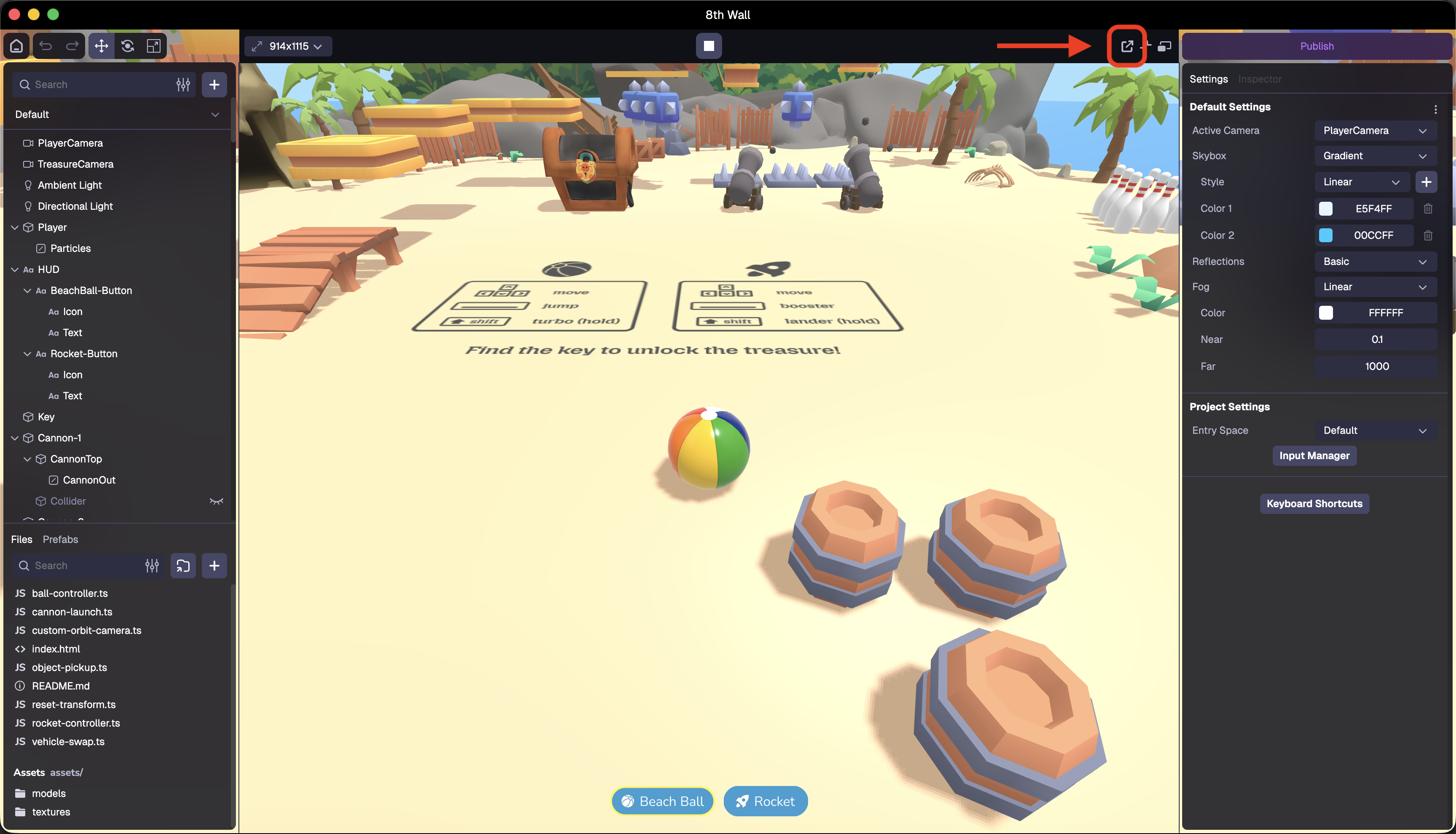
- Open the Simulator/Preview
- Click the browser pop-out button
Test on Mobile
To test your project on mobile devices, especially for AR experiences that require camera access, you'll need to serve your development server over HTTPS. We recommend using ngrok to create a secure tunnel to your local server.
- Go to ngrok.com and create an account. Once signed in, follow the steps on the dashboard to install ngrok.
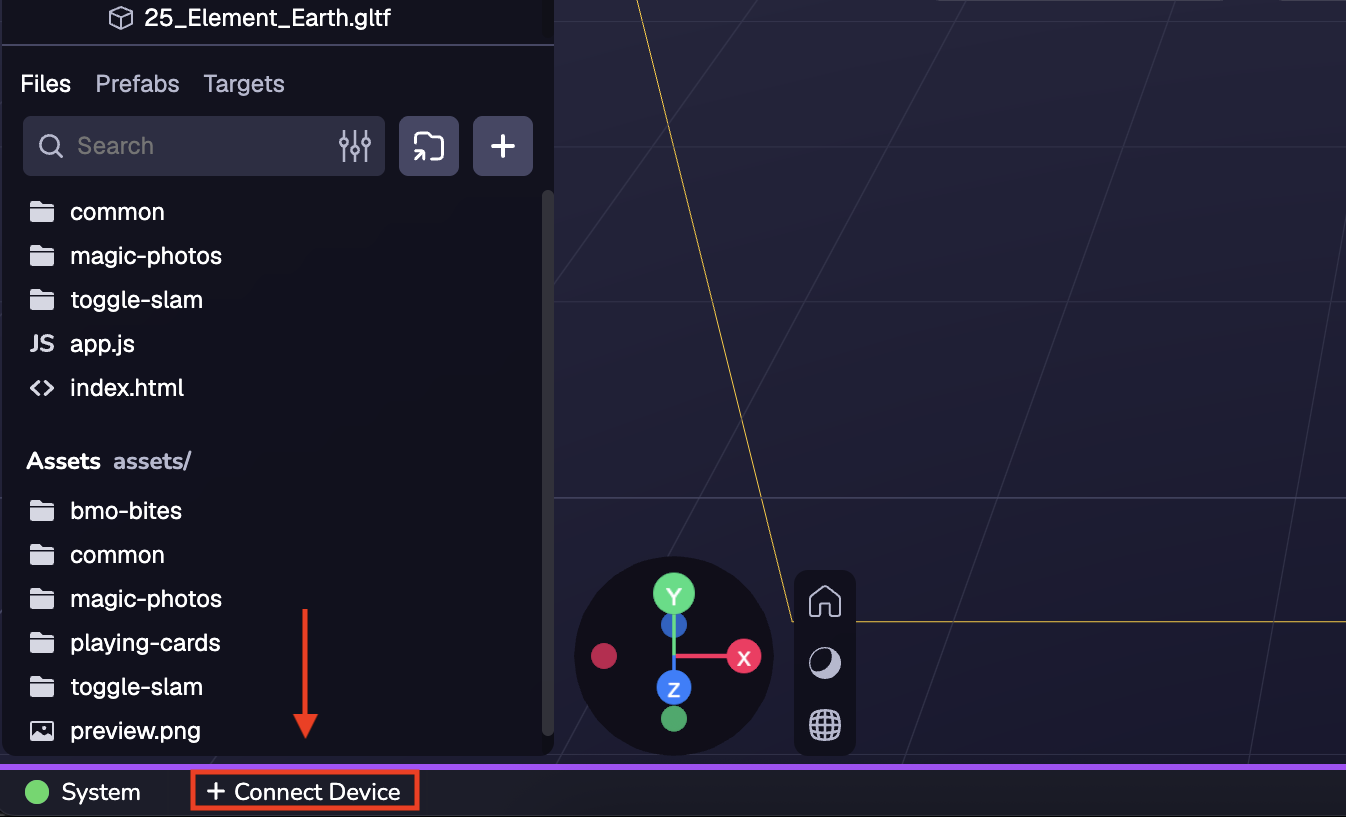
- Click "Connect Device" in the lower left corner.
- You will see a command such as
ngrok http <port number>. Copy that command and execute it in the terminal.
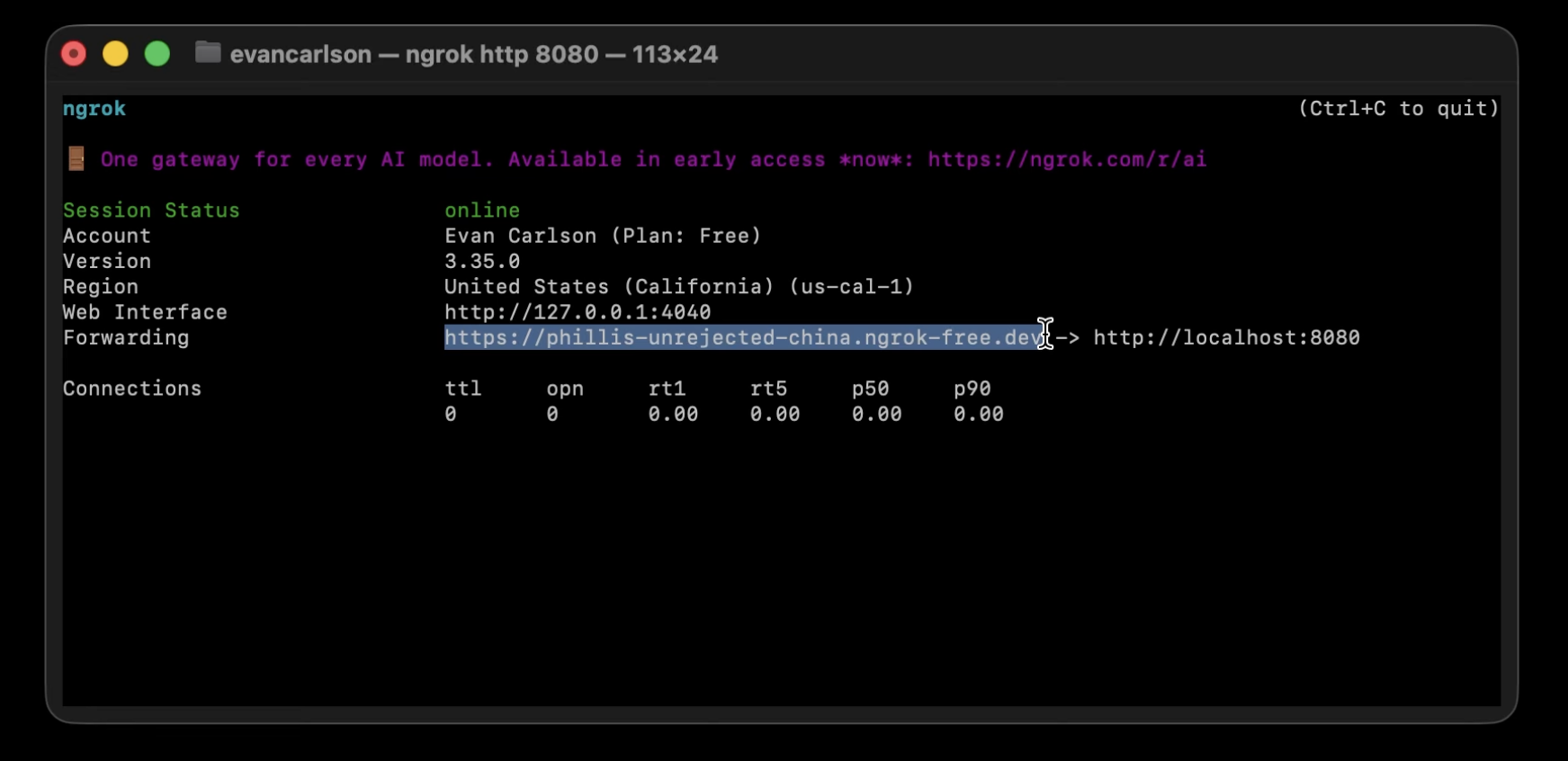
- Take the URL from the output, in the form
https://xxx-xxx-xxx.ngrok-free.dev, and paste that into the Proxy URL field.
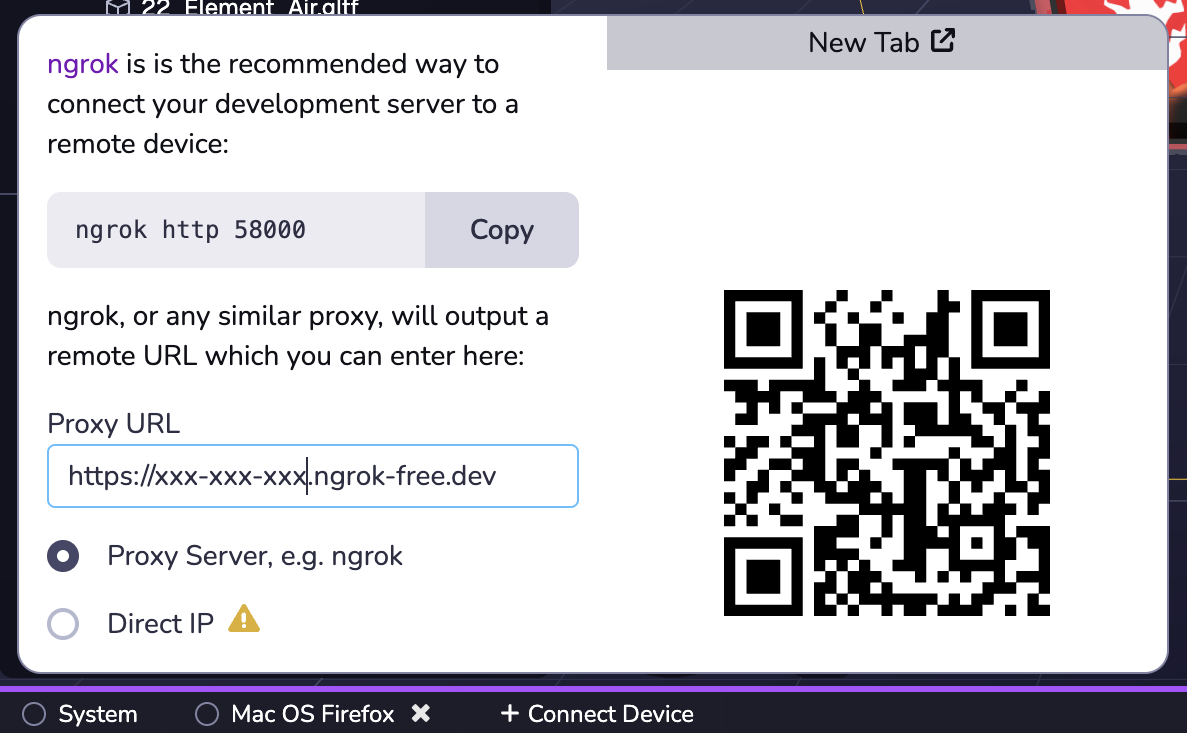
- Scan the QR code on your test device.